Export one clean vertical master from your editor, with no app logo or watermark on it. Upload that same file natively to Reels, TikTok and Shorts, each with its own caption (and a title for YouTube), each at that platform’s best hour. Never re-upload a video downloaded from another app.
All three platforms say why: watermarked or reused clips are less likely to be recommended.
- Instagram: for a Reel to be eligible for recommendations, it should be original and have “no visible watermarks”.[1]
- TikTok lists “clips that show someone else’s watermark or logo” as ineligible for the For You feed when posted without creative edits.[2]
- Instagram makes Reels less visible when they are watermarked, low resolution or “have already been posted on Instagram”.[3]
- YouTube’s reused-content rule covers Shorts and applies to copying “without adding significant original commentary, substantive modifications”; it applies to monetisation, even with permission.[4]
What the platforms actually say
The myth is that platforms punish cross-posting. They don’t. What they push down is reused or visibly recycled content: someone else’s clip, or a clip that still carries another app’s logo. Your own video, uploaded cleanly to each app, is original on each.
| Platform | What it says | What it means for you |
|---|---|---|
| Reels eligible for recommendations should have “no visible watermarks”; originals replace copies in recommendations.[1] | Upload the clean master, not the TikTok download. | |
| TikTok | Reused content with “someone else’s watermark or logo” is not eligible for For You without creative edits.[2] | Don't upload a Reels or Shorts download either. |
| YouTube | Reused content without significant changes can’t earn money, on Shorts too.[4] | Your own video is fine; other people's clips are not. |
Instagram also says it may tell creators when a watermark may be limiting a reel’s reach,[3] and that it is less likely to recommend accounts that mostly repost others’ content.[5]
The workflow: one master, three native uploads
- Edit once, export a master. 1080×1920 vertical MP4, straight from your editor. If you edit inside TikTok or CapCut, save the project export, not the posted video.
- Keep text inside the safe zone. Each app puts buttons and captions over the bottom and sides of the frame. Keep words and faces in the middle. Sizes in the specs cheat sheet.
- Check the length. Instagram Reels and YouTube Shorts both go up to 3 minutes for most creators[6][7]; trim to the shortest limit you post to.
- Add sound in each app if you need trending audio. Licensed music inside one app doesn’t travel with the file. Use original or royalty-free audio in the master.
- Write a caption per platform. Different readers, different limits (below).
- Schedule each at its own hour. Not all at the same minute.
What to change per platform
| Instagram Reels | TikTok | YouTube Shorts | |
|---|---|---|---|
| Caption | First line is the hook; up to 5 hashtags | Short and searchable; say what the video is | A real title plus a short description |
| Cover | Choose a cover frame; it shows on your grid | Choose a cover frame | Pick a frame where the app offers it |
| Sound | Add trending audio in-app if you want it | Add trending audio in-app if you want it | Use audio from YouTube's library if needed |
| Extra | Try it as a trial reel to reach non-followers first | Duet and Stitch settings | The title is what search reads |
Timing: stagger by platform, not by guesswork
Posting all three at the same minute is the easy mistake. Each app’s audience peaks at a different hour, so each upload should go out at that platform’s best hour in your audience’s time zone. That naturally staggers them. More in what a golden hour is.
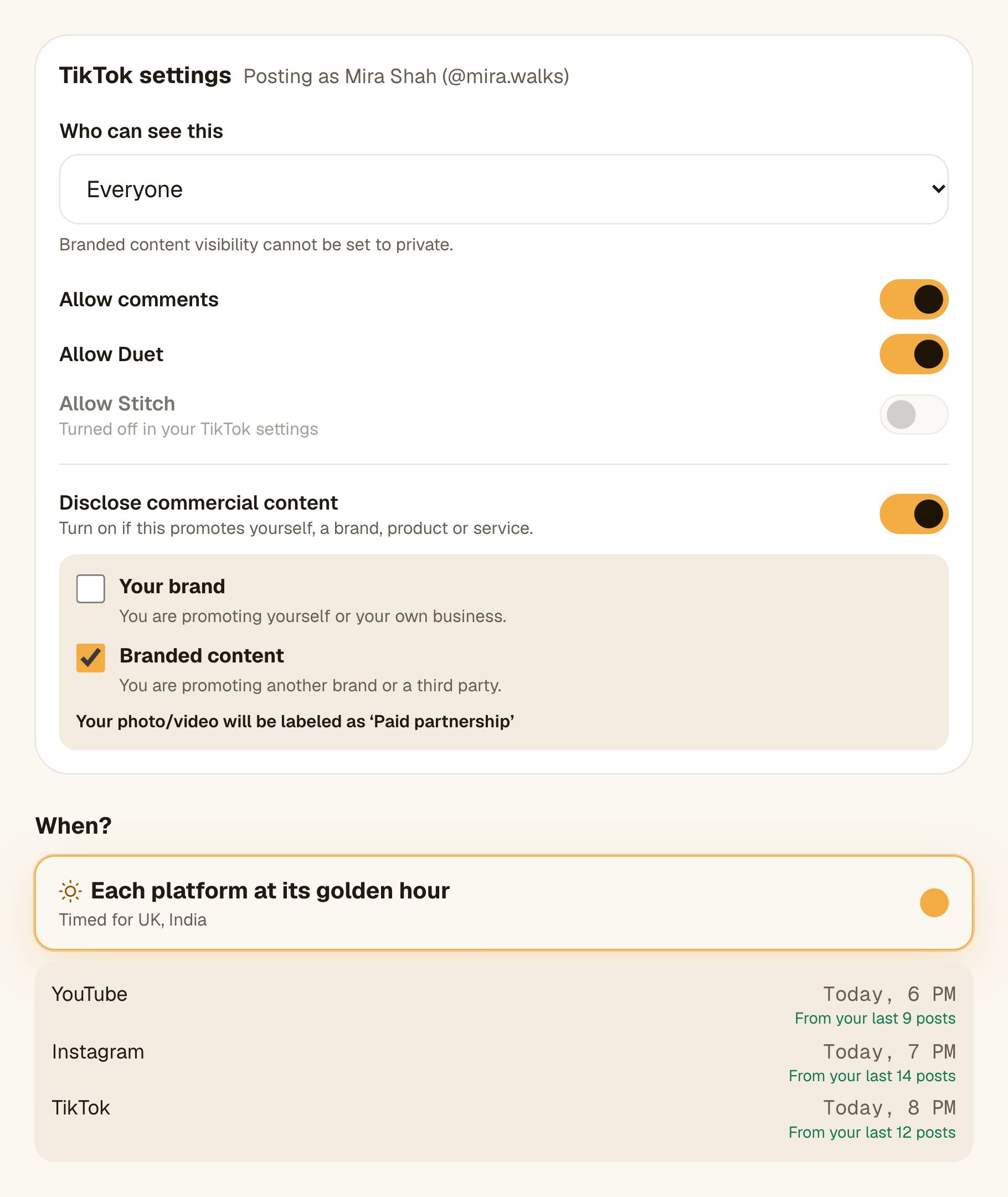
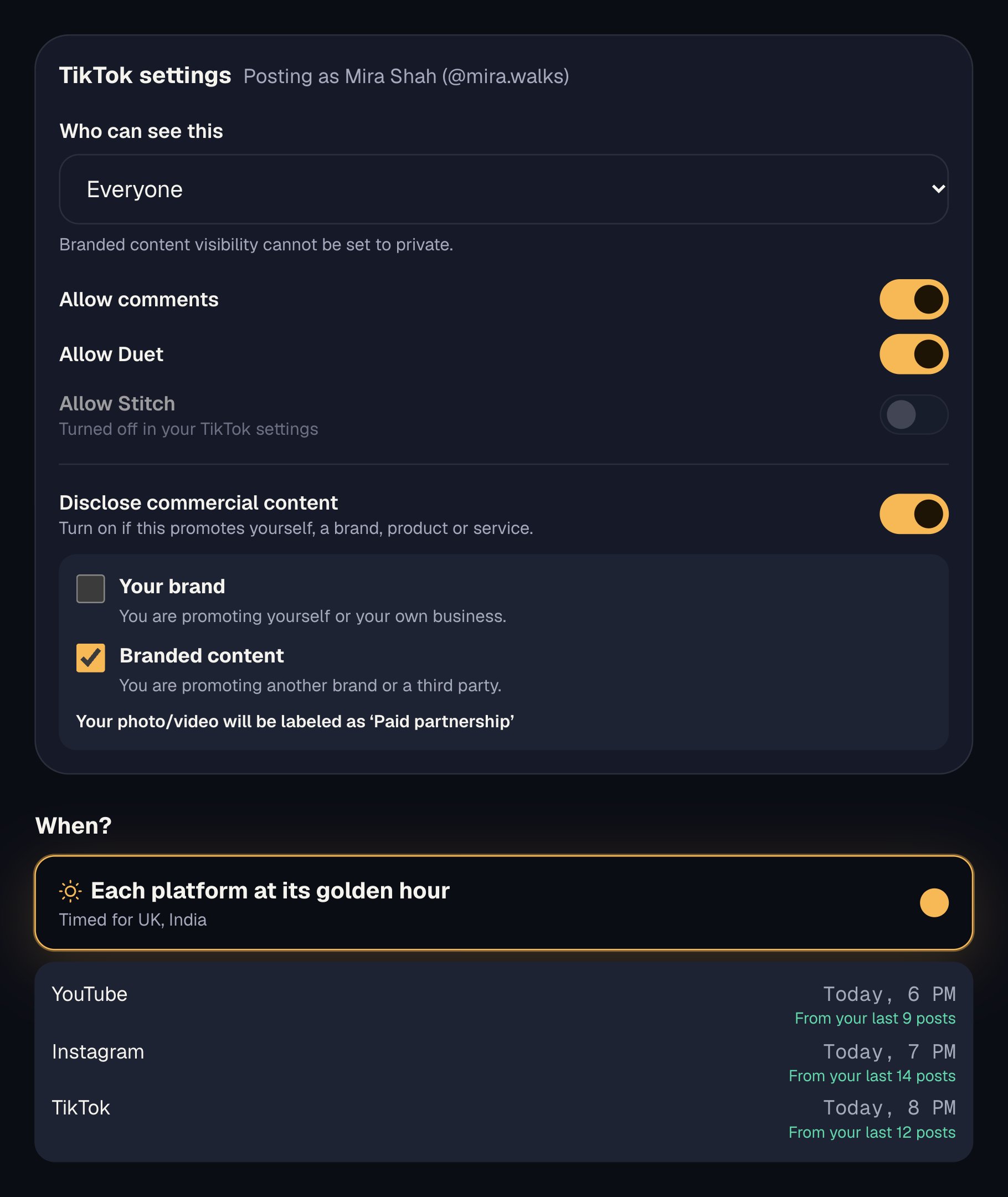
In Octoque you upload the master once, tick Instagram, TikTok and YouTube, adjust the caption in each tab, and each goes out at its own golden hour. TikTok’s required settings (who can see it, comments, Duet, Stitch) are asked for fresh each time, as TikTok requires.
Mistakes that cost reach
- Downloading from TikTok to post on Reels. The download carries TikTok’s logo and username, the exact thing the rules above name.
- Screen-recording a video. Lower resolution, and Instagram names low resolution too.[3]
- One caption pasted everywhere. 30 hashtags fail on Instagram’s new limit, and YouTube needs a title.
- Reposting the same Reel on Instagram. Instagram shows content that “has already been posted on Instagram” less.[3] Make a new edit instead.
Cross-posting checklist
- The file is your editor's export, with no other app's watermark or username.
- 1080×1920, sharp, text and faces inside the safe zone.
- Length fits every platform you are posting to.
- Audio is original or royalty-free in the master; trending sounds added in-app.
- A caption per platform, a title for YouTube, the right number of hashtags.
- Each platform scheduled at its own best hour in your audience's time zone.
Questions people ask
Does Instagram penalise videos posted on TikTok first?
Not for being on TikTok. It shows watermarked, low-resolution or reposted content less.[3] A clean upload of your own video is fine.
How do I remove a TikTok watermark?
Don’t. Export from your editor instead. Cropping or blurring a logo lowers quality and still looks reused.
Should I post on all three on the same day?
Yes, if each upload is native and at that platform’s own best hour. There is no rule that requires waiting days between platforms.
Can I monetise the same Short on YouTube if it’s on TikTok?
YouTube’s reused-content rule targets content that isn’t yours or isn’t changed.[4] Your own original video uploaded to both is your content.
What about Facebook, LinkedIn and Threads?
The same master works. LinkedIn suits a talking or teaching clip with a longer text post; Facebook takes Reels too.

Kumar Gaurav builds Octoque. Creators should spend their time making things, not watching clocks. So you make the video, and Octoque finds the moment: one upload, every platform, each at its golden hour. These guides follow the same idea. Real channels, real numbers, nothing you don’t need.
More from Kumar GauravKeep reading
Sources
All links checked on 14 October 2026.
- Instagram for Creators: Recommendations and originality (30 Apr 2024)
- TikTok Community Guidelines: For You feed eligibility standards
- Instagram: Instagram Ranking Explained (31 May 2023)
- YouTube Help: YouTube channel monetization policies, reused content
- Instagram for Creators: Tips for improving your reach (31 May 2023)
- Instagram for Creators: The latest with Instagram (21 Jan 2025). Reels up to 3 minutes
- YouTube Help: Shorts up to 3 minutes
- Instagram for Creators: Trial reels (Dec 2024)