Schedule Instagram Reels, carousels and Stories that post themselves
Updated Platform rules checked
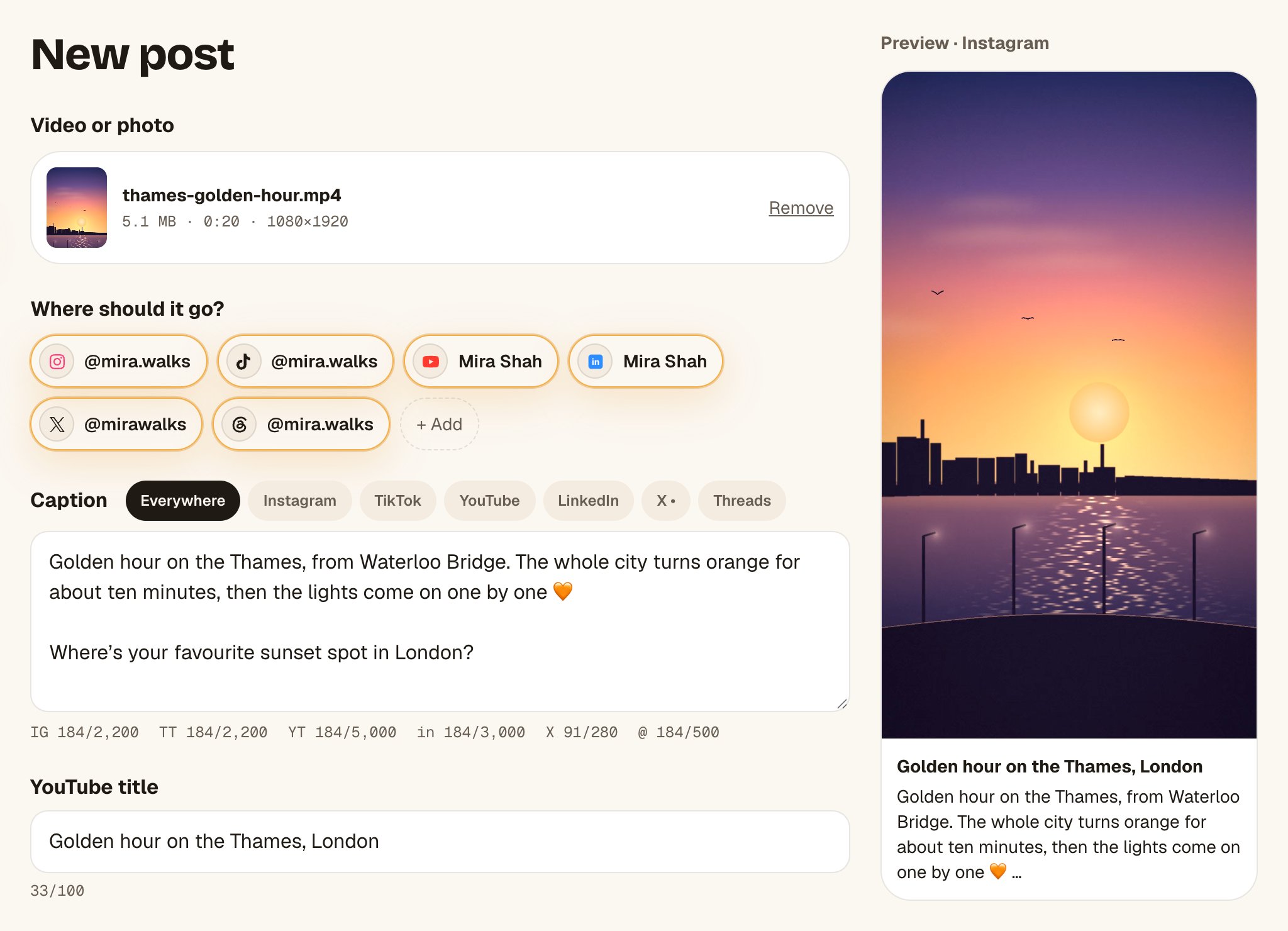
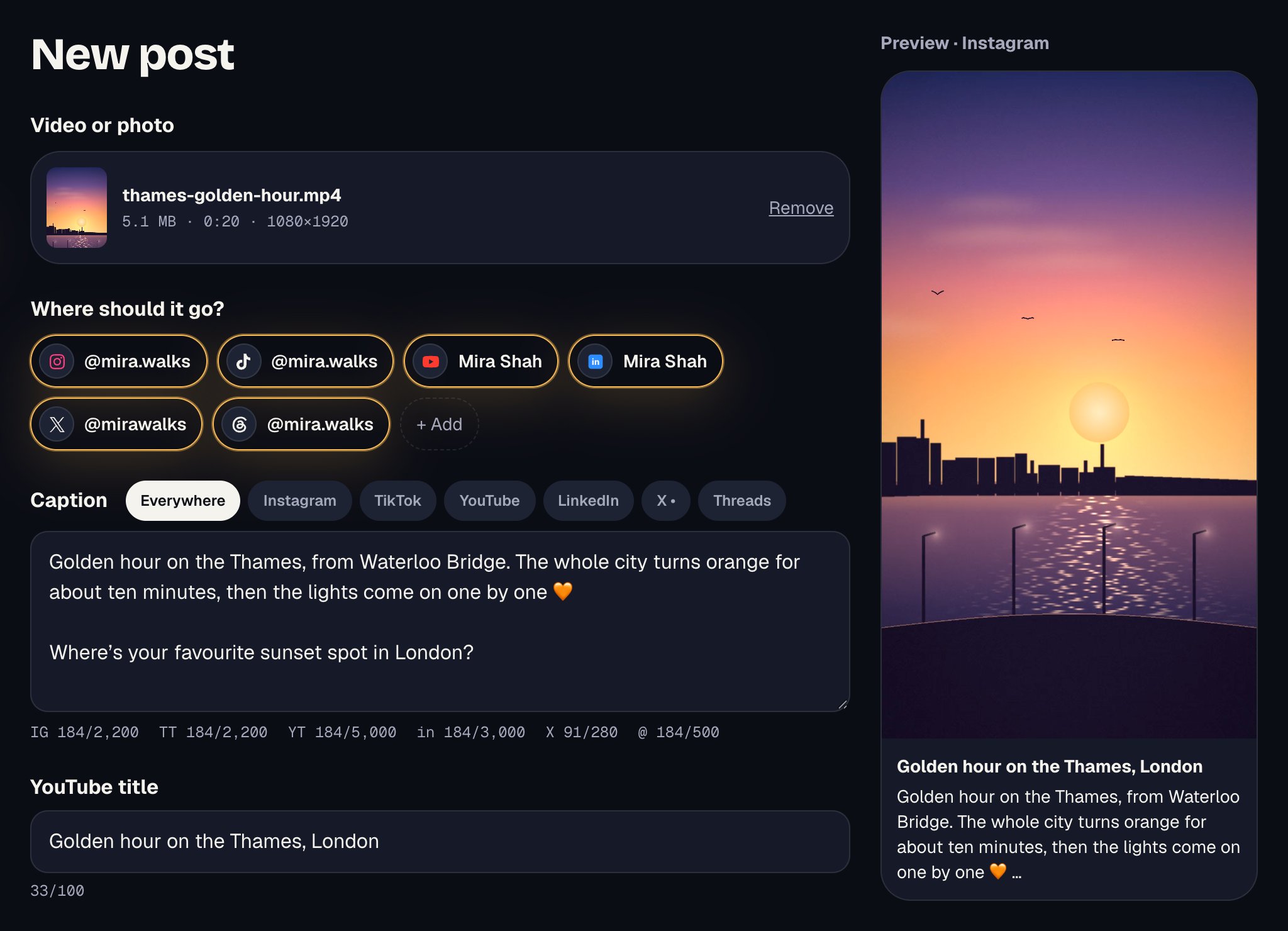
Octoque auto-publishes Reels (videos up to 3 minutes), photo posts, carousels of up to 10 photos and videos, and Stories to Instagram Creator and Business accounts, through Instagram’s official publishing API.
You can add a first comment, up to 3 collaborators, people tags, a location and alt text. Connect Instagram through Facebook and you also get the paid partnership label and music from Instagram’s library. Personal accounts can’t be posted to by any app.[1]
What you can post on Instagram with Octoque
Everything marked Auto-publish goes out on its own at the time you set. You get a notification when it’s live, or a plain explanation if Instagram turned it down.
- Auto-publishReels (video)Up to 3:00 in Octoque. Instagram’s API publishes videos as Reels.[2] Trial Reels too, for one video.
- Auto-publishPhoto postSend JPG for Instagram: its API takes JPEG images only.[1]
- Auto-publishCarousel (up to 10 items)Photos and videos mixed, in the order you drag them.
- Auto-publishStoriesOne photo or video. Stories show no caption, so the caption and first comment are left out.
- Auto-publishFirst comment, collaborators, people tags, locationUp to 3 collaborators. On a photo you tap where each person is; on a video you type usernames.
- Auto-publishPaid partnership label and musicOnly when Instagram is connected through Facebook. Music goes on a Reel, not a Story.
- Not possibleStory stickers, links in Stories, shopping tagsInstagram’s API doesn’t let apps add them.[1]
- Not possiblePersonal (non-professional) accountsInstagram only lets apps publish to Creator and Business accounts.[1]
Instagram’s limits, and Octoque’s
These numbers come from Instagram’s own documentation. Each links to the page it came from.
| What | Limit | Source |
|---|---|---|
| Caption length | 2,200 charactersMeta's publishing API: "Maximum 2200 characters, 30 hashtags, and 20 @ tags." | developers.facebook.com |
| Shown before “more” | about 125 charactersNot documented by Instagram. About 125 characters is the commonly cited cutoff before "more"; it varies by screen and line breaks. | clipspeed.ai |
| Hashtags | up to 5Instagram's @creators account said in December 2025 that captions are moving to a five-hashtag limit, rolled out gradually. Meta's API reference still says 30. Five is the safe number. | socialmediatoday.com |
| Reels: shape | 9:16Accepted range is 0.01:1 to 10:1; 9:16 is recommended. | developers.facebook.com |
| Reels: size | 1080 × 1920 pxMeta gives a maximum width of 1920 px and recommends 9:16; 1080×1920 is the usual full-HD size. | developers.facebook.com |
| Reels: length | 3 seconds to 15:00 min15 minutes through the publishing API. Octoque posts up to 3 minutes and lets you pick the part to keep. | developers.facebook.com |
| Reels: file size | up to 300 MB | developers.facebook.com |
| Reels: file types | MP4, MOVH.264 or HEVC video, AAC audio, moov atom at the front. | developers.facebook.com |
| Stories: shape | 9:16Accepted range is 0.1:1 to 10:1; 9:16 is recommended. | developers.facebook.com |
| Stories: size | 1080 × 1920 px | developers.facebook.com |
| Stories: length | 3 seconds to 1:00 min | developers.facebook.com |
| Stories: file size | up to 100 MB | developers.facebook.com |
| Stories: file types | MP4, MOV | developers.facebook.com |
What Octoque itself allows on Instagram today:
- Captions up to 2,200 characters, with a live counter under the caption.
- Videos up to 3:00. Longer ones can be trimmed for Instagram alone (keep the start or the end), while other platforms get the full video.
- One photo or video, a carousel of up to 10, or a Story. Files: MP4, MOV, JPG, PNG or WebP, up to 1 GB.
- Instagram needs a photo or video. Text-only posts leave Instagram out.
How Octoque handles Instagram
Octoque sends your original file to Instagram, so the Reel is native: it plays in the feed and the Reels tab like one you posted from the app.
If your video runs past 3 minutes, Octoque asks you to keep the start or the end for Instagram. Other platforms still get the full video.
Instagram’s head, Adam Mosseri, has said Instagram tries not to recommend Reels with logos from other apps.[3] Octoque posts the file you uploaded, never a download from another platform.
Connect with Instagram, or through Facebook. Through Facebook adds the paid partnership label (with up to 2 brands, who get a request to approve it) and Instagram music for Reels.
Comments on your posts and your Instagram DMs show in Octoque’s inbox, read live and never stored. Meta’s 24-hour reply rule is handled for you, and Octoque AI can suggest a reply.
With 100 or more followers, Instagram shares when they’re online. Golden hour uses that hour until your own results take over.
When it posts: 7 pm, then your own hour
Pick “Each platform at its golden hour” and Instagram goes out at 7 pm where your audience lives, not where you are. It’s a starting point that adapts: once your posts have results, your own best hours take over.
How to connect Instagram
- In Instagram’s settings, make sure the account is a Creator or Business account.
- In Octoque, open Connected accounts and tap Connect next to Instagram. Pick With Instagram, or Through Facebook for the paid partnership label and music.
- Sign in on Instagram’s or Facebook’s own page and approve. Octoque never sees your password.
Step-by-step help with screenshots: Connect Instagram to Octoque.
What you can’t do on Instagram, and why
Some limits are Instagram’s, set in its official API; a few are Octoque’s own for now. Here they are, so nothing surprises you after you’ve scheduled.
- Publish to personal accounts. Only professional accounts can be published to through Instagram’s API.[1]
- Add shopping tags, filters or Story stickers. Instagram’s publishing API supports none of them.[1]
- Change a caption after it’s live. Instagram doesn’t let apps edit a live post. Edit it in the Instagram app.
- Use the paid partnership label or music without Facebook. Instagram allows them only for accounts connected through Facebook.
- Post without limit. Instagram caps how many posts an account can publish through the API in 24 hours. Its docs give 100 in one place and 50 in another.[1] A creator posting a few times a day won’t get near either.
Questions people ask
Does Octoque publish to Instagram on its own, or send me a reminder?
It publishes on its own on paid plans and during the trial. Reels, photos, carousels and Stories go out at the time you set, with nothing to tap on your phone.
Can I schedule Instagram Stories?
Yes. Set Instagram to Post as: Story with one photo or video. Stickers and links can’t be added by apps, so add those in Instagram after it posts if you need them.
Can I add music to a Reel?
Yes, if Instagram is connected through Facebook. Tap Add music on the Reel and pick a song. Otherwise, put the sound in the video before you upload.
Can I post the same Reel to Instagram and Facebook?
Yes. Connect both and pick both in one post. Each goes out at its own golden hour (Instagram starts at 7 pm, Facebook at 1 pm, in your audience’s time zone), or pick one time for both.
Why does my photo need to be a JPG?
Instagram’s publishing API accepts JPEG images only.[1] Octoque takes PNG and WebP for other platforms, so export a JPG for Instagram.
Can I reply to comments and DMs?
Yes, on paid plans. Instagram comments and DMs show in Octoque’s inbox. You can reply to a DM within 24 hours of the last message, or up to 7 days as a personal reply, as Meta’s rules allow.
Related
Other platforms
Sources
All links checked on 14 October 2026.
- Meta for Developers: Instagram Platform, Content publishing
- Meta for Developers: Instagram Platform changelog (VIDEO media type replaced by REELS, 9 November 2023)
- Instagram limits: developers.facebook.com. Used for caption length, reels: shape, reels: size, reels: length and more
- Instagram limits: clipspeed.ai. Used for shown before “more”
Your next post could go out at golden hour tonight.
Set it up in three minutes. Free for 14 days, no card needed.
Start free