Run every client’s posting without mixing them up
Octoque’s Studio plan is $99 a month ($82 paid yearly) for 25 connected accounts and 5 team seats, with approvals. Creator ($29) has approvals too, with 2 seats. Extra accounts are $3 a month each. Keep each client in its own workspace with its own audience regions. It fits small agencies and freelancers who mostly publish short video and posts; if you sell reporting, listening or ads management, a larger suite will fit better.
What gets in the way
- Approvals by screenshot. The draft goes to the client on WhatsApp, the feedback comes back on email, and the version that posts is not the one they approved.
- Per-seat and per-channel bills that grow faster than retainers. Every new client adds channels, every freelancer adds a seat.
- Clients in other time zones. Your team works in one city; the client’s customers are in three others. Scheduling everything at your 10 am misses them.
How a client runs in Octoque
- One workspace per clientConnect that client’s accounts there. Brands never share a calendar, a library or a queue.
- Set where their audience isUp to three regions per workspace, so golden hour follows the client’s customers, not your office.
- Give everyone the right roleSix roles from Viewer to Owner. A contributor drafts, an editor schedules, a manager approves.
- Turn on approvalsPosts from editors and contributors wait as Needs approval. The approver gets a ping, reviews, and approves. If anyone edits an approved post, it goes back for approval.
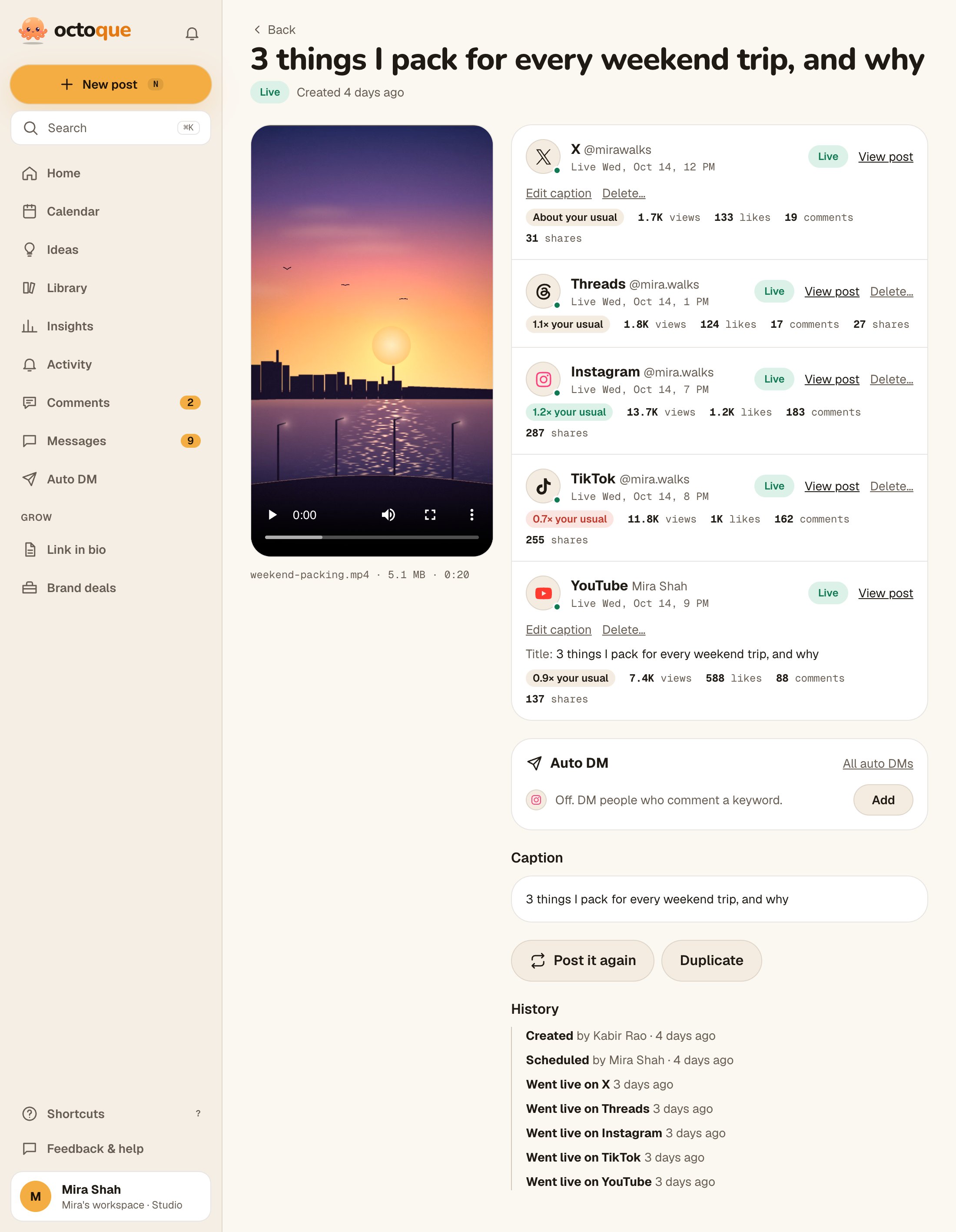
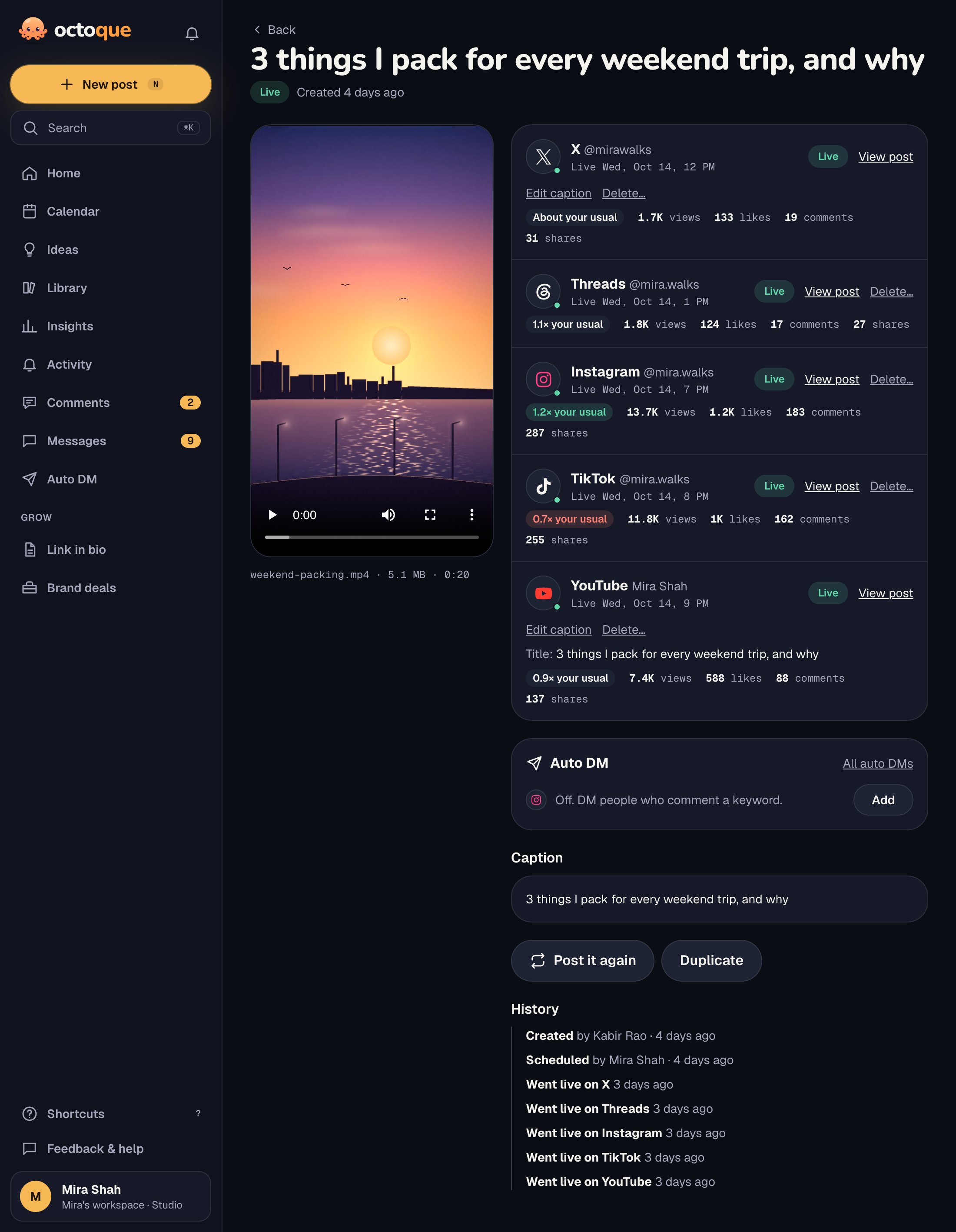
- Watch the activityEvery post’s history shows who created, approved and scheduled it, and every attempt on every platform.
What matters most for agencies
- Roles, approvals and workspaces: keep clients apart and control what goes out.
- Audience time zones: golden hours in each client’s audience regions; local-currency billing with tax.
- Captions per platform: one brief, a version per network, YouTube titles.
- Comments, messages and reviews: answer each client’s comments, DMs and Google reviews in that client’s workspace.
- Client reports: a results page for any client account and dates, shared by link or saved as a PDF. On Studio it carries your logo, name and colour instead of Octoque’s.
- Failure alerts: the team hears within minutes if a client’s post didn’t go out, with the fix.
- API and MCP: build your own tools on the public API, or let an AI assistant draft and schedule within your permissions.
What Octoque doesn’t do
Agencies usually need some of these. We’d rather you know before a client depends on it:
- Client reports are a fixed page and PDF, not a report builder, and aren’t emailed on a schedule yet.
- Light listening only (Mentions: 10 keywords per workspace, no websites, news or forums) and no full ads management; Boost turns a live post into an ad. The inbox covers comments, DMs and Google reviews on accounts you connect, not X.
- Approvals need a seat: clients approve as team members, not through a no-login link.
- Studio is the biggest plan today, with 5 seats.
- No third-party reviews yet. Octoque is new; try it on one client first.
Which plan fits an agency
$29 a month
$24 a month if paid yearly
A freelancer with two or three small clients: 8 accounts, 2 seats, approvals.
- 8 accounts, auto-posting
- 11 platforms
- Unlimited scheduling
- 150 X posts a month
- 100 AI caption credits
- 300 clip minutes a month
- 2 team seats
- Approvals
- Comments, messages and Google reviews
- Auto DM with email capture
- Boost a live post as an ad
- Spreadsheet import
- Insights and audience
$99 a month
$82 a month if paid yearly
Several clients and a small team: 25 accounts, 5 seats, approvals, white-label client reports and priority support.
- 25 accounts, auto-posting
- 11 platforms
- Unlimited scheduling
- 500 X posts a month
- 500 AI caption credits
- 1,000 clip minutes a month
- 5 team seats
- Approvals
- Comments, messages and Google reviews
- Auto DM with email capture
- Boost a live post as an ad
- Mentions: track 10 keywords
- Spreadsheet import
- White-label client reports
- Priority support
Prices in US dollars; you pay in your own currency with local tax at checkout. Free doesn’t post for you: it reminds you at the right time. New accounts get 14 days of auto-posting free (3 accounts, 30 posts), no card needed. Compare all plans.
Questions people ask
Can a client approve posts without seeing other clients?
Yes. Invite the client to their own workspace only, with a role that can approve. They never see your other workspaces.
What happens if someone edits a post after it was approved?
If the person editing needs approval, the post goes back to Needs approval, so what goes out is always what was approved.
Do I pay per channel?
No. Studio includes 25 accounts across all clients. After that, extra accounts are $3 a month each.
Can we post to clients’ TikTok and YouTube without their passwords?
Yes. The account owner signs in on the platform’s own page once and grants permission to post. Octoque never sees passwords.
Do you offer white-label reports or agency pricing?
White-label reports, yes: on Studio, client reports and brand results links show your logo, name and colour, with no Octoque branding. There’s no separate agency pricing today. If you run many clients, email hello@octoque.com and tell us what you need.
Keep reading
Your next post could go out at golden hour tonight.
Set it up in three minutes. Free for 14 days, no card needed.
Start free