TikTok settings explained
For every TikTok post you choose who can see it, which interactions are allowed, and whether it promotes something. TikTok requires apps to ask.
Updated
Before you start
- A connected TikTok account. See Connect your TikTok account.
Steps
- Pick a TikTok account in New post. A TikTok settings box appears with “Posting as” and your TikTok name.
- Choose Who can see this. Octoque only lists what TikTok offers for your account (such as Everyone, Friends, Followers or Only me), and nothing is picked for you.
- Turn on Allow comments, Allow Duet or Allow Stitch if you want them. They start off. Duet and Stitch don’t apply to photos. A switch is grey with “Turned off in your TikTok settings” if you’ve turned it off in TikTok.
- If the post promotes yourself, a brand, a product or a service, turn on Disclose commercial content and tick Your brand, Branded content or both.
- Read the line above the button: “By posting, you agree to TikTok’s Music Usage Confirmation.” (with branded content it also names the Branded Content Policy).
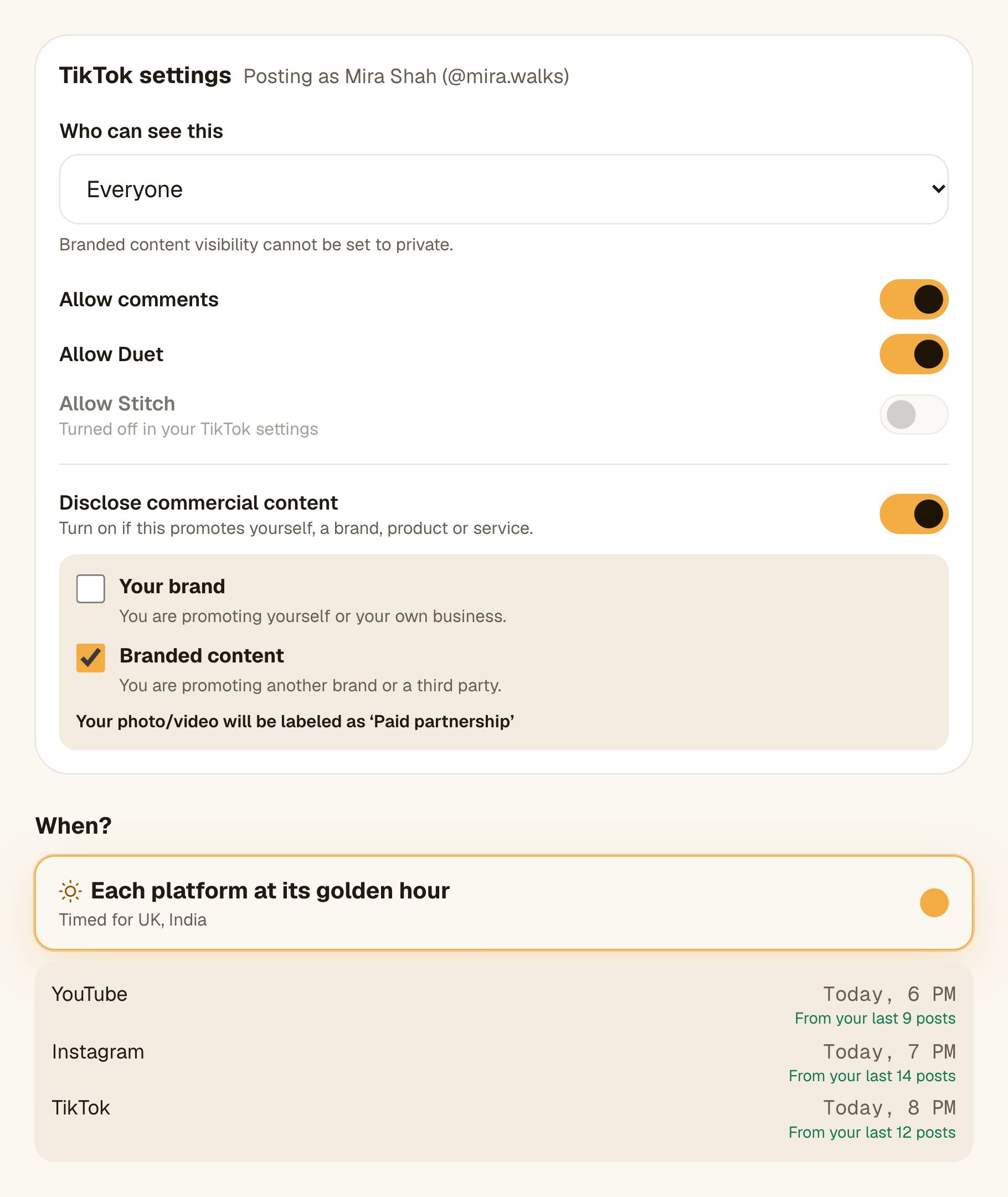
What TikTok shows on your post
| You tick | TikTok labels it |
|---|---|
| Your brand | Promotional content |
| Branded content | Paid partnership |
| Both | Paid partnership |
Troubleshooting
Choose who can see this on TikTok.
Pick an option under Who can see this. TikTok doesn’t allow a default.
You need to indicate if your content promotes yourself, a third party, or both.
You turned on Disclose commercial content; tick Your brand, Branded content or both, or turn it off.
Branded content visibility cannot be set to private.
Choose Everyone, Friends or Followers, or untick Branded content.
That TikTok privacy option isn't available for this account. Choose another.
TikTok changed what your account allows. Pick one of the options listed.
This TikTok account has that interaction turned off. Switch it off here too.
You turned off comments, Duet or Stitch in TikTok. Switch it off in Octoque too, or turn it back on in TikTok.
Related articles
Sources
All links checked on 14 October 2026.
Last updated . Found something out of date? Tell us at hello@octoque.com. More in Captions and platform rules