Schedule one post to several platforms
Pick your accounts, write one caption, and choose when: each platform at its golden hour, the next queue slot, now, or a time you pick.
Updated
Before you start
- Connected accounts. See Connect a social account.
- A video or photo for Instagram, TikTok and YouTube. LinkedIn, X, Facebook and Threads also take text-only posts.
Steps
- Tap New post and add your video or photo.
- Under Where should it go?, tap any account you want to leave out (picked accounts have a glowing border).
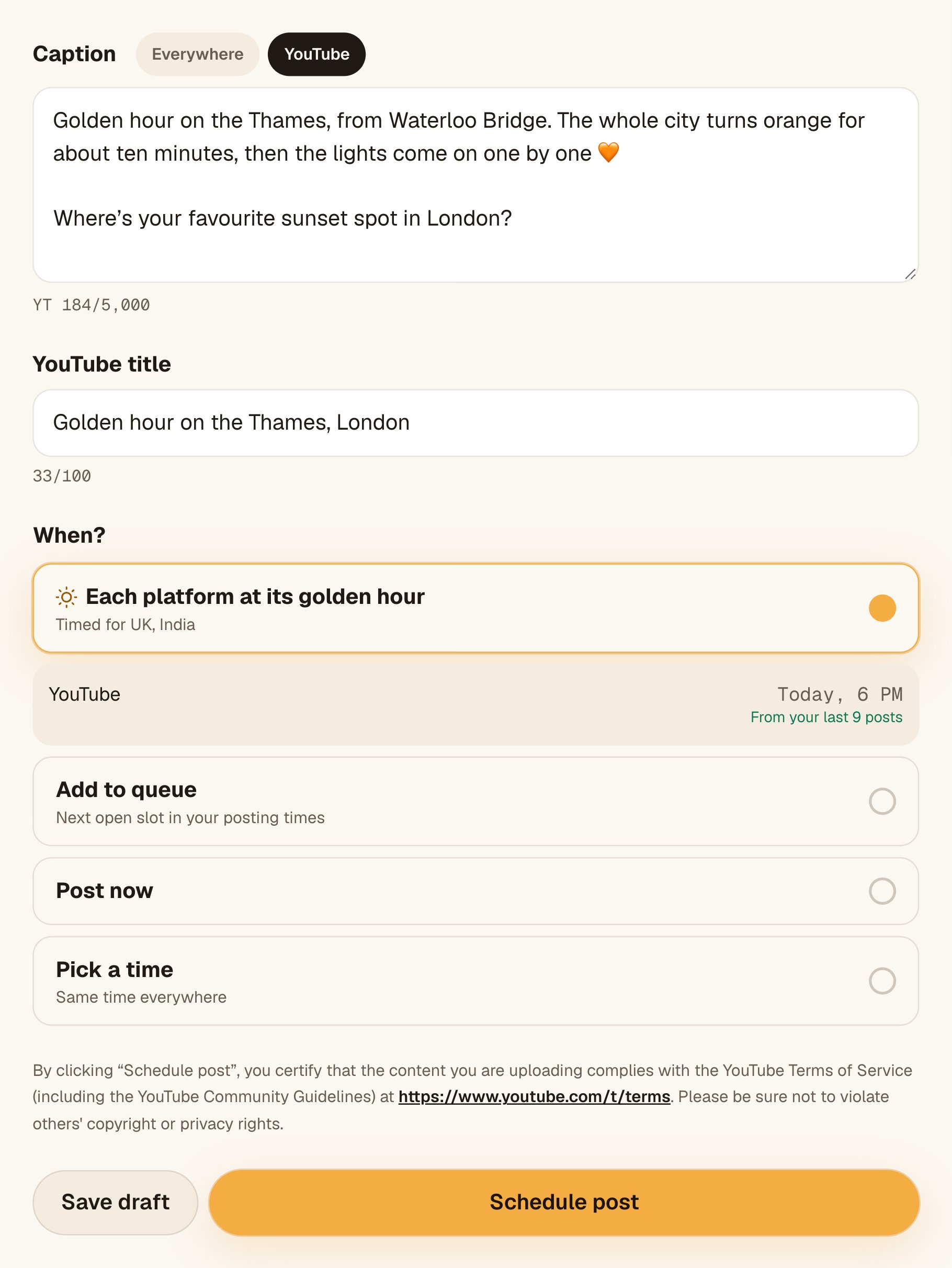
- Write the Caption. To change it for one platform, tap that platform’s tab (see a caption for each platform).
- Add the YouTube title and TikTok settings if those platforms are picked.
- Under When? choose one:
- Each platform at its golden hour: each platform gets its own time, listed under the option.
- Add to queue: the next open slot in your posting times.
- Post now: goes out straight away.
- Pick a time: one date and time, the same everywhere.
- Tap the button at the bottom. It says what will happen: Schedule post, Schedule on 4 platforms, Add to queue, Post now, or Send for approval if a manager approves your posts.
What you’ll see
The post page opens with what happens next, for example “Scheduled on 4 platforms. First one: LinkedIn, …”. Each platform is listed in the order it goes out, with its time and status: Scheduled, then Posting, then Live with a View post link. On Free (and for any reminder account), Octoque doesn’t post: at each time you get a “Your turn” reminder with the caption and video ready, you post it yourself and tap Mark as posted.
What one post can hold
| What | Limit |
|---|---|
| Files | Up to 20 photos and videos in one post (a carousel); each platform takes what it can. See carousels and Stories |
| Formats | MP4 or MOV video; JPG, PNG or WebP photo |
| File size | Up to 1 GB |
| Platforms | Any of your connected accounts, each once per post |
| Posts per month | 10 on Free, counted per platform (one post to 3 platforms uses 3), as reminders you post yourself; 30 in total for the whole trial; unlimited on paid plans. X posts have their own monthly allowance, and a post to X with a link counts as 10 |
Troubleshooting
Upload an MP4 or MOV video, or a JPG, PNG or WebP photo.
Octoque checks what the file really is, not just its name. Export or convert it to one of these formats and upload again.
Files can be up to 1 GB.
Export a smaller file (for example 1080p instead of 4K) and upload again.
Each account can appear once per post.
The same account was added twice (usually from the API). Keep it once.
One of the accounts isn't connected here.
An account was disconnected while you were writing. Refresh New post, or connect it again.
The button is grey
Read the To post: line just above it. It lists what’s missing, such as “pick a date and time” or “add a YouTube title”.
Related articles
Last updated . Found something out of date? Tell us at hello@octoque.com. More in Create and schedule posts