Connect a social account
Sign in on the platform’s own page and Octoque can post there. We never see your password.
Updated
Before you start
- You’re the workspace owner, an admin or a manager (others don’t see the Connect buttons).
- You can sign in to the account you want to connect, in this browser.
- Check what your platform needs first: Instagram, TikTok, YouTube, LinkedIn, X, Facebook, Threads.
Steps
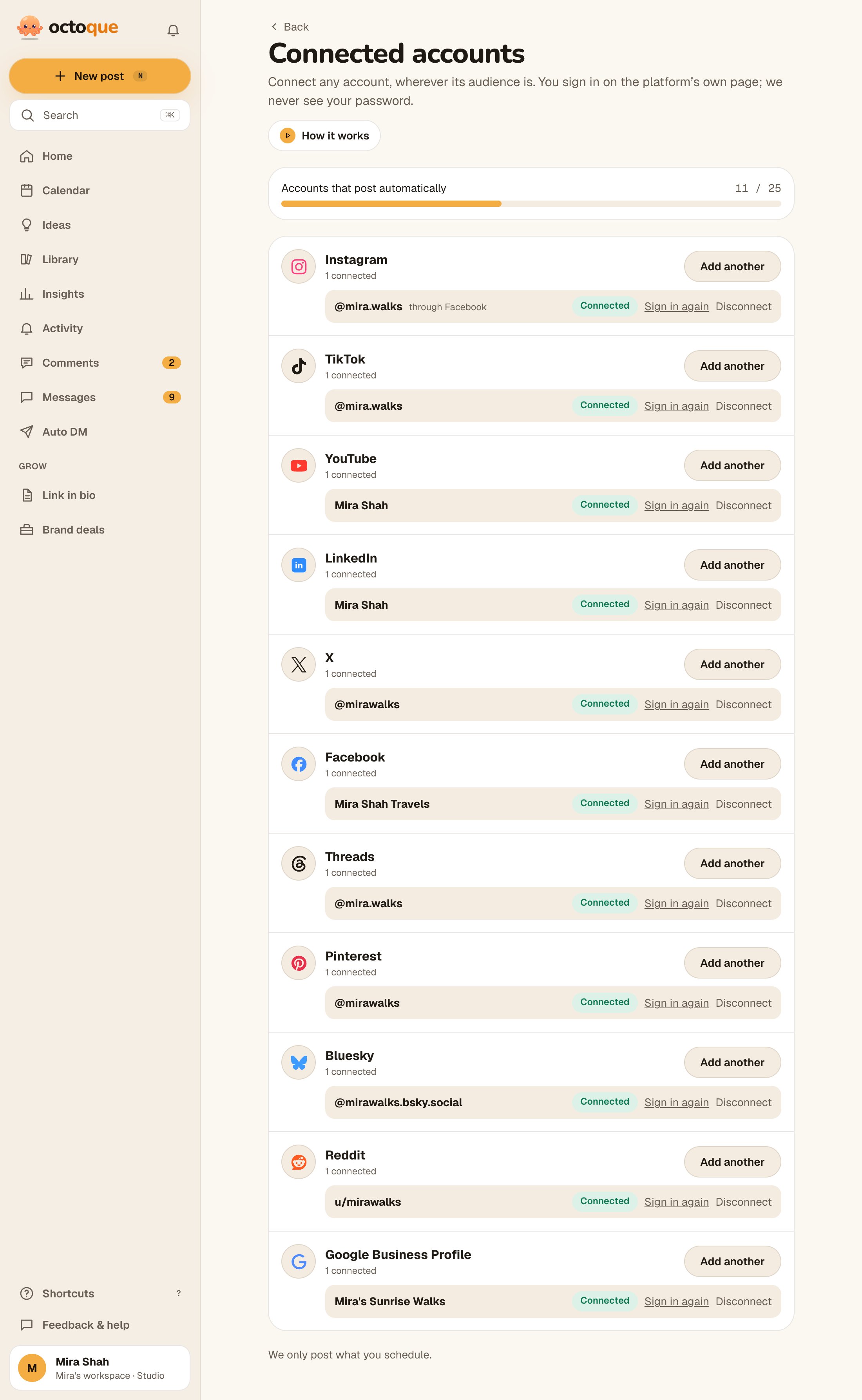
- In Octoque, go to You → Connected accounts.
- Tap Connect next to the platform (or Add another if one is already connected).
- Sign in on the platform’s page that opens, and allow Octoque to post for you.
- For LinkedIn and Facebook, Octoque then asks where to post (your profile or a page you manage). Tap Connect next to the one you want.
- You’re back in Octoque with a note such as “@yourname connected”, and the account shows Connected.
What each platform needs
| Platform | Account you need | Text-only posts | Longest video in Octoque |
|---|---|---|---|
| Professional account (Business or Creator) | No | 3:00 | |
| TikTok | Any TikTok account you can sign in to | No | 3:00, or less if TikTok sets a lower limit for your account |
| YouTube | A channel owned by the Google account (or Brand Account) you sign in with | No (video only) | 3:00 |
| Your profile, or a Page where you’re a super or content admin | Yes | 10:00 | |
| X | Any X account | Yes | 2:20 |
| A Facebook Page you manage (not a personal profile) | Yes | 4:00 | |
| Threads | A Threads profile | Yes | 5:00 |
Several accounts on one platform
Tap Add another next to a platform that’s already connected. Each account counts towards your plan’s account limit.
Your audience can be anywhere
Octoque never hides a platform because of where you live. In India, TikTok isn’t available, but you can still connect a TikTok account you run for an audience abroad.
Troubleshooting
The connection didn’t finish. Try again.
The sign-in on Instagram was closed, cancelled or refused. Tap Connect again and allow access on Instagram’s page.
That sign-in has expired. Tap Connect to start again.
You took a while on the platform’s page and the sign-in timed out. Start again; nothing was saved.
Too many tries in a row. Wait a minute, then connect Instagram again.
Wait a minute, then try once more. The message names your platform; Instagram is an example.
We couldn't connect Instagram. Try again, and if it keeps happening, write to us from Help.
Instagram refused the connection. Check the requirements above, then try again. Still failing? Tap Feedback & help → I need help, or email us. The message names your platform; Instagram is an example.
We couldn't reach Instagram just now. Try again in a minute.
Instagram or our connection to it had a short hiccup. Try again in a minute. The message names your platform; Instagram is an example.
Your plan includes 3 accounts that post automatically. Upgrade for more, or disconnect one first.
You’ve reached your plan’s account limit (the number matches your plan). Disconnect one you don’t use, or see Plans and limits.
Confirm your email first. We sent you a link; you can send it again from the banner.
Accounts that post automatically need a confirmed email. Open the link we emailed you (or tap Resend on the banner), then connect again.
@yourname already had a free trial on Octoque. Pick a plan to auto-post to it, or keep it for reminders.
Each social account gets one free trial. This one had it before, so it was added for reminders. Pick a plan under You → Plan & billing to auto-post to it.
Your plan’s accounts are all in use, so @yourname was added for reminders instead. Upgrade to auto-post to it.
You already have as many auto-posting accounts as your plan includes. Disconnect one, or change plan, then connect again.
Your plan includes reminders for 3 accounts. Upgrade for more.
On Free, Octoque reminds you to post instead of posting, for up to 3 accounts. Remove one you don’t use, or see Plans and limits.
There’s no Connect button
Only the workspace owner, admins and managers can connect accounts. Ask one of them, or see What each role can do.
Connecting X isn't open yet. We're on it; please try again later.
Connections to that platform are paused on our side for now. Nothing is wrong with your account; try again later.
Related articles
Last updated . Found something out of date? Tell us at hello@octoque.com. More in Connect accounts