Octoque vs Planoly: a visual planner or every platform at its own hour?
 By Kumar Gaurav, founder of OctoqueUpdated Facts checked
The entry prices are about the same: Planoly Starter is $16 a month, Octoque Starter $15. Pick Planoly if the visual Instagram planner is the centre of your work and you sell from your bio link. Pick Octoque if you post the same video to several platforms, X included (Planoly only sends X reminders), want best times beyond Instagram, need approvals, or want a refund if it doesn’t work out.
- you plan your Instagram grid visually before posting
- you sell products or bookings from a link-in-bio store
- you want comment-to-DM automation on a $16 plan
- you like one price per brand across every network
- you want a native phone app
- you post to X and want it to go out on its own
- you want best times for TikTok, YouTube, LinkedIn and X, not only Instagram
- you work with an editor or brand who approves posts
- you want a trial without automatic charges, and refunds
- you want a public API for your own scripts
Octoque and Planoly side by side
| Planoly | Octoque | |
|---|---|---|
| Free plan | Yes, in the phone app only: 1 social set, 1 user, 10 uploads a month, basic Instagram analytics. source | Yes, but it doesn’t post for you: plan and schedule for up to 3 accounts and 10 posts a month, and at each post’s time Octoque sends a “Your turn” reminder with the caption and video ready, and you post it yourself. 5 AI caption credits. source |
| Cheapest paid plan | Starter $16 a month ($14 paid yearly): 1 social set (one account per network), 1 user, unlimited uploads, link in bio, Instagram DM automation. source | Starter $15 a month ($12 paid yearly): 3 accounts, unlimited scheduling, 30 X posts, API and MCP. source |
| How it’s priced | Per plan, by social sets (one account per network each) and users: Starter 1 set, Growth $28 for 2 sets and 2 users, Pro $55 for 6. Extra sets and users on Growth and Pro. source | Per plan, with accounts included (3, 8 or 25). Extra accounts are $3 a month each. source |
| Trial | 14 days on paid plans; the terms say you’re charged automatically when it ends unless you cancel. source | 14 days, no card: auto-posting to up to 3 accounts, 30 posts in total and 10 X posts. If you don’t pick a plan you move to Free (reminders, you post); nothing is deleted. source |
| Networks | Instagram, TikTok, Facebook, YouTube, LinkedIn, Threads and Pinterest auto-post; X is reminder-only. source | Instagram, TikTok, YouTube, LinkedIn, X, Facebook Pages, Threads, Pinterest, Bluesky, Reddit and Google Business Profile. No Snapchat, Mastodon or Telegram. source |
| Short video (Reels, TikTok, Shorts) | Reels, TikTok videos and Shorts auto-post; Reels and TikToks that need in-app music fall back to a phone reminder. source | Posts Reels, TikTok videos, YouTube Shorts and Facebook Reels directly through each platform’s official API. Carousels and Stories on Instagram and Facebook, LinkedIn PDF posts, and threads on X, Threads and Bluesky. source |
| Best time to post | Best Time to Post for Instagram only: up to 3 hours per weekday from your last 30 days of insights, on paid plans. source | Golden hour on every plan: each platform gets its own time, in your audience’s time zone (up to three regions). On Free it’s the time of your reminder. source |
| Caption per platform | Yes: each channel in a post gets its own caption. source | One caption everywhere or a different one per platform, a separate YouTube title, a first comment and live character counters. You can edit a live caption on Facebook, LinkedIn, YouTube, Reddit and Google, and on X with Premium within an hour. source |
| Approvals | No approval workflow listed on any plan. source | Six roles and post approvals from Creator ($29/mo, 2 seats); Studio has 5 seats. The free trial includes them. source |
| API and MCP | An MCP server for Claude, ChatGPT and Gemini (plan not stated); no public planner API found. source | Public API with scoped keys and an MCP server for Claude, ChatGPT and other assistants, on every paid plan. source |
| Phone app | Yes, iOS and Android apps; the free plan lives in the app. source | No native app yet. Octoque is a phone-first web app that runs in your phone’s browser. source |
| Refunds | “Planoly does not provide refunds”; cancelling keeps access to the end of the paid period. source | Full refund within 14 days of any payment, renewals included. Cancel in two taps. source |
Checked 14 October 2026. Prices in USD, monthly billing unless stated.
Planoly: Yes, in the phone app only: 1 social set, 1 user, 10 uploads a month, basic Instagram analytics. source
Octoque: Yes, but it doesn’t post for you: plan and schedule for up to 3 accounts and 10 posts a month, and at each post’s time Octoque sends a “Your turn” reminder with the caption and video ready, and you post it yourself. 5 AI caption credits. source
Planoly: Starter $16 a month ($14 paid yearly): 1 social set (one account per network), 1 user, unlimited uploads, link in bio, Instagram DM automation. source
Octoque: Starter $15 a month ($12 paid yearly): 3 accounts, unlimited scheduling, 30 X posts, API and MCP. source
Planoly: Per plan, by social sets (one account per network each) and users: Starter 1 set, Growth $28 for 2 sets and 2 users, Pro $55 for 6. Extra sets and users on Growth and Pro. source
Octoque: Per plan, with accounts included (3, 8 or 25). Extra accounts are $3 a month each. source
Planoly: 14 days on paid plans; the terms say you’re charged automatically when it ends unless you cancel. source
Octoque: 14 days, no card: auto-posting to up to 3 accounts, 30 posts in total and 10 X posts. If you don’t pick a plan you move to Free (reminders, you post); nothing is deleted. source
Planoly: Instagram, TikTok, Facebook, YouTube, LinkedIn, Threads and Pinterest auto-post; X is reminder-only. source
Octoque: Instagram, TikTok, YouTube, LinkedIn, X, Facebook Pages, Threads, Pinterest, Bluesky, Reddit and Google Business Profile. No Snapchat, Mastodon or Telegram. source
Planoly: Reels, TikTok videos and Shorts auto-post; Reels and TikToks that need in-app music fall back to a phone reminder. source
Octoque: Posts Reels, TikTok videos, YouTube Shorts and Facebook Reels directly through each platform’s official API. Carousels and Stories on Instagram and Facebook, LinkedIn PDF posts, and threads on X, Threads and Bluesky. source
Planoly: Best Time to Post for Instagram only: up to 3 hours per weekday from your last 30 days of insights, on paid plans. source
Octoque: Golden hour on every plan: each platform gets its own time, in your audience’s time zone (up to three regions). On Free it’s the time of your reminder. source
Planoly: Yes: each channel in a post gets its own caption. source
Octoque: One caption everywhere or a different one per platform, a separate YouTube title, a first comment and live character counters. You can edit a live caption on Facebook, LinkedIn, YouTube, Reddit and Google, and on X with Premium within an hour. source
Planoly: No approval workflow listed on any plan. source
Octoque: Six roles and post approvals from Creator ($29/mo, 2 seats); Studio has 5 seats. The free trial includes them. source
Planoly: An MCP server for Claude, ChatGPT and Gemini (plan not stated); no public planner API found. source
Octoque: Public API with scoped keys and an MCP server for Claude, ChatGPT and other assistants, on every paid plan. source
Where Planoly is better
- Grid planning first. The visual Instagram planner is the heart of Planoly. Octoque has a Grid view too, for Instagram and TikTok, where you can drag scheduled posts into a new order, but it’s one view of the calendar.
- A link-in-bio store. Sell digital products, services and bookings with no transaction fees, on every plan. Octoque’s link in bio has links, latest posts and a media kit, but no store.
- DM automation on every paid plan. Both send a DM when someone comments a keyword; Octoque’s Auto DM needs Creator ($29) or Studio.
- Phone apps. The iOS and Android apps include a free tier. Both post to Pinterest.
- Social sets. Each set is one account on every network, so one brand covers many networks for $16.
Where Octoque is better
X that posts itself
Planoly’s help centre says X is reminder-only: you get a nudge and post it yourself. Octoque posts to X on every paid plan (30 to 500 X posts a month).
Golden hour on every platform
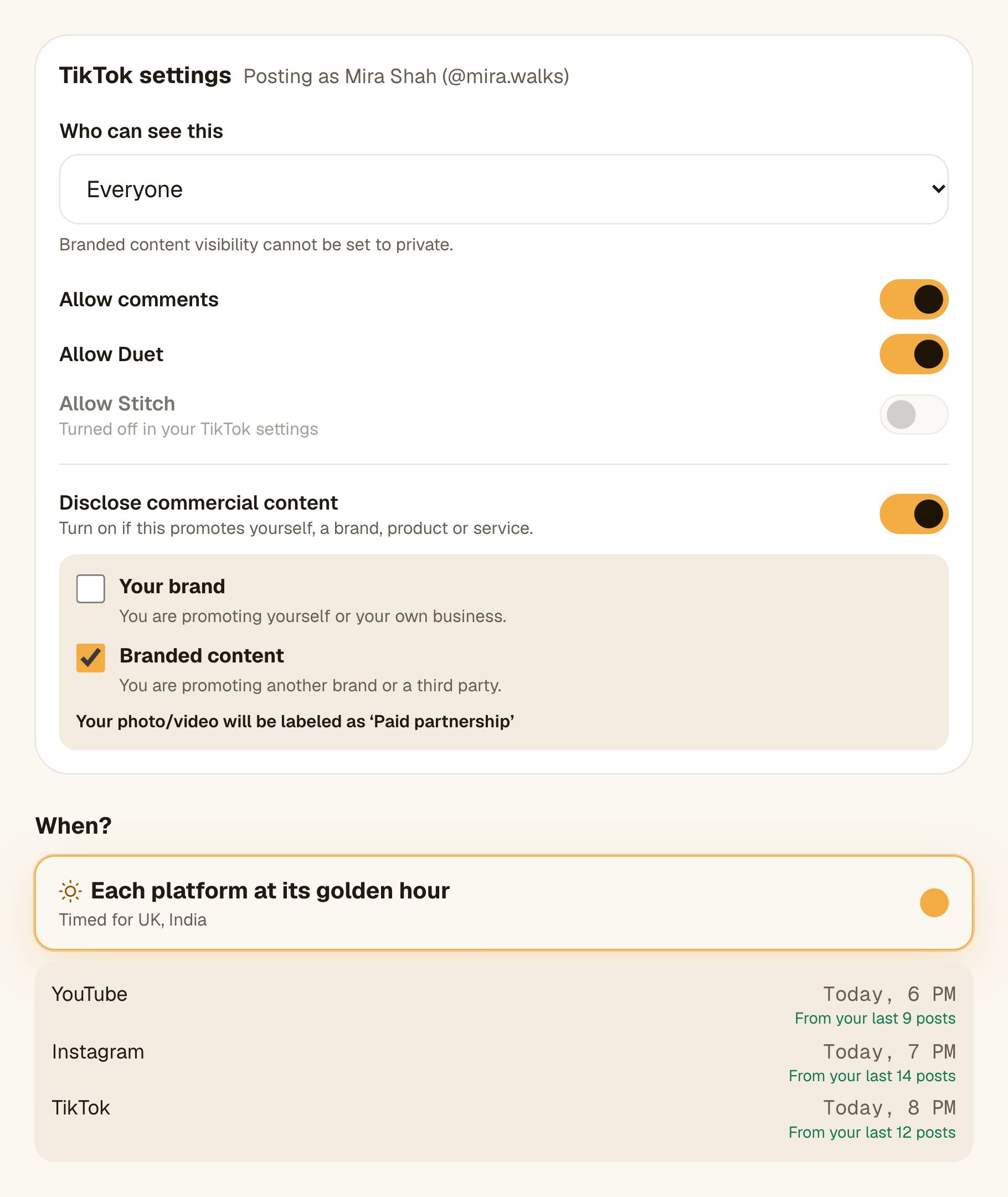
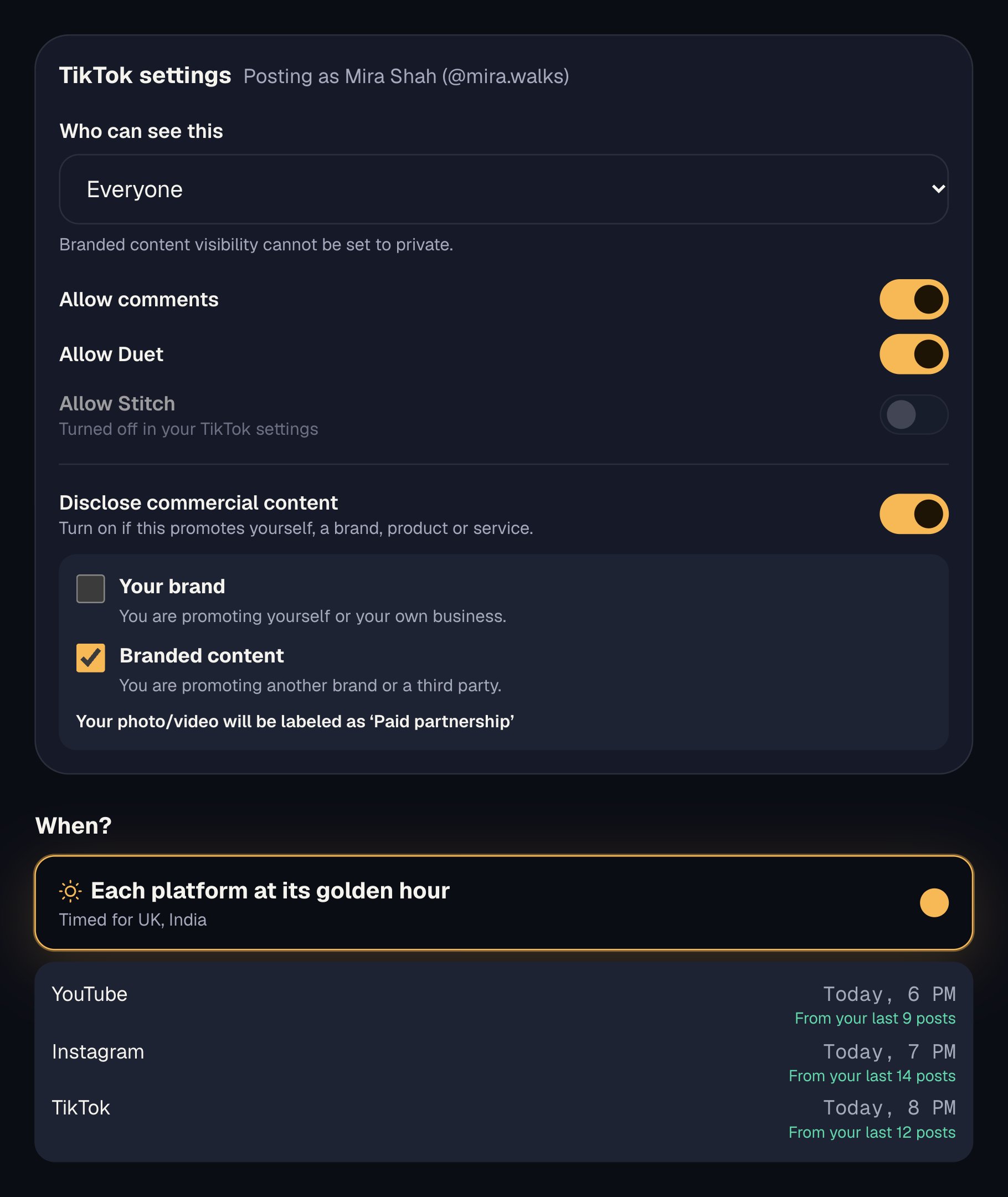
Planoly’s Best Time to Post covers Instagram, on paid plans. Octoque’s golden hour times every platform in a post separately, in your audience’s time zone, on every plan (on Free it times your reminders, and you post).
Approvals and roles
We found no approval workflow in Planoly’s plans. Octoque has six roles and approvals on Creator and Studio. See teams.
A no-card trial and refunds
Planoly’s terms say it charges automatically when the trial ends and doesn’t provide refunds. Octoque’s trial needs no card and moves you to Free, where it reminds you to post instead of posting; any payment can be refunded within 14 days.
What you’d pay
Monthly billing, USD, before tax, checked 14 October 2026.
Instagram, TikTok and YouTube; one person.
- Planoly Starter
- $16 a month ($14 yearly), 1 social set
- Octoque Starter
- $15 a month ($12 yearly), 3 accounts, 30 X posts
About the same. Planoly’s set also covers Pinterest, LinkedIn, Facebook and Threads.
Two people, 2 brands or up to 8 accounts.
- Planoly Growth
- $28 a month ($24 yearly), 2 sets, 2 users
- Octoque Creator
- $29 a month ($24 yearly), 8 accounts, 2 seats
The same price. Octoque Creator includes approvals; Planoly has none.
Switching from Planoly
- Start the trialSign up for Octoque: 14 days of auto-posting to up to 3 accounts (30 posts), no card. Keep Planoly running.
- Connect your accountsSign in on each platform’s own page, X included. Connecting to Octoque doesn’t disconnect Planoly.
- Set your posting timesLet golden hour time each platform, or set your own rhythm in the queue.
- Move upcoming postsOctoque doesn’t connect to Planoly. Upload the next week or two of videos to the Library, add the posts by hand or from a spreadsheet (CSV, up to 200 rows), and remove each one from Planoly as you go, so nothing posts twice.
- Move your link pageCopy your links to Octoque’s link in bio (octoque.com/@you). It has no store, so if you sell from Planoly’s, keep it or move the store somewhere else before you cancel.
- Cancel before renewalPlanoly doesn’t provide refunds, so cancel before the next charge.
We compared Planoly’s pricing page, help centre and terms of use with Octoque’s own plans on 14 October 2026. Prices are monthly billing unless stated. We did not run a long hands-on test of Planoly; this compares what each company documents. Corrections to hello@octoque.com.
Questions people ask
Is Planoly cheaper than Octoque?
About the same: Planoly Starter is $16 a month and Octoque Starter $15. Planoly Growth ($28) and Octoque Creator ($29) also match.
Can Planoly post to X?
Only as a reminder: Planoly never auto-posts to X. Octoque posts to X on every paid plan.
Do both auto-post Reels, TikTok and Shorts?
Yes. Planoly falls back to a phone reminder for Reels and TikToks that need in-app music. Octoque publishes all three directly; videos over 3 minutes need a part chosen for Instagram, TikTok and YouTube.
Does Octoque have a grid planner or link in bio?
Yes to both, but simpler. Octoque’s Grid view previews your Instagram or TikTok profile and lets you drag scheduled posts into a new order. Its link in bio has your links, latest posts, click counts and an optional media kit, but no store. If you sell from Planoly’s store, keep it for that.
Do both work with AI assistants?
Yes. Planoly has an MCP server for Claude, ChatGPT and Gemini. Octoque has an MCP server and a public API on every paid plan.
Keep reading
More comparisons
Octoque head to head
Alternatives to
Sources
All links checked on 14 October 2026.
Your next post could go out at golden hour tonight.
Set it up in three minutes. Free for 14 days, no card needed.
Start free